I led a three-person team through user research and synthesis, then owned the end-to-end UX/UI design and validation. In close collaboration with radiologists, product owners, and engineers, we redesigned RADHawk to better support clinical workflows, increasing CSAT from 64% to 93% and perceived efficiency by 29.8%.
Team Lead
UX Researcher
UI/UX Designer
Team|Junbin Yin, Jyotiraditya Ingawale, Keyu Zhu
User Research & Report
PRD
Design Guideline
Specification & Handoff
Interactive Prototype
Usability Testing Report
Mar. 2025 - July 2025
Overview
—
RADHawk brings reference information into radiologists’ existing case-review workflow.
RADHawk is an AI-powered reference tool for radiologists that works alongside PACS, the system radiologists use to review medical images. It surfaces relevant reference information during case review, without requiring clinicians to leave their existing workflow.
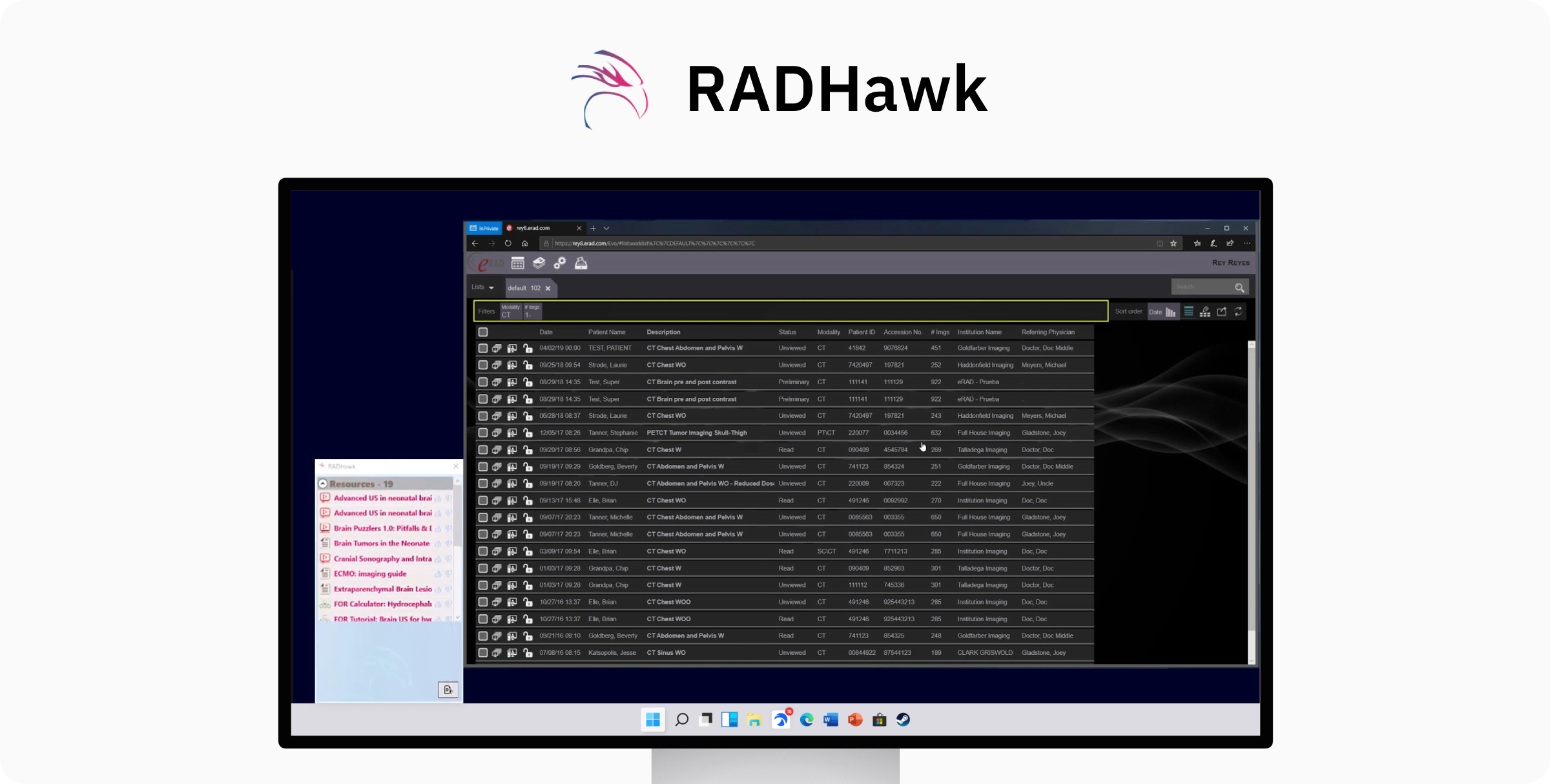
The challenge was bigger than a UI refresh, and we had three months to prove it.
The project began as a UI refresh, but early feedback suggested deeper usability issues in how clinicians found and interpreted information during case review.
Project Constraints
📐 Existing architecture
The redesign needed to work within RADHawk’s established product structure and technical framework.
⏰ 3-month timeline
We had three months to research, design, validate, and hand off an MVP.
The redesign improved both satisfaction and perceived efficiency.
A sneak peek of my final design 👀
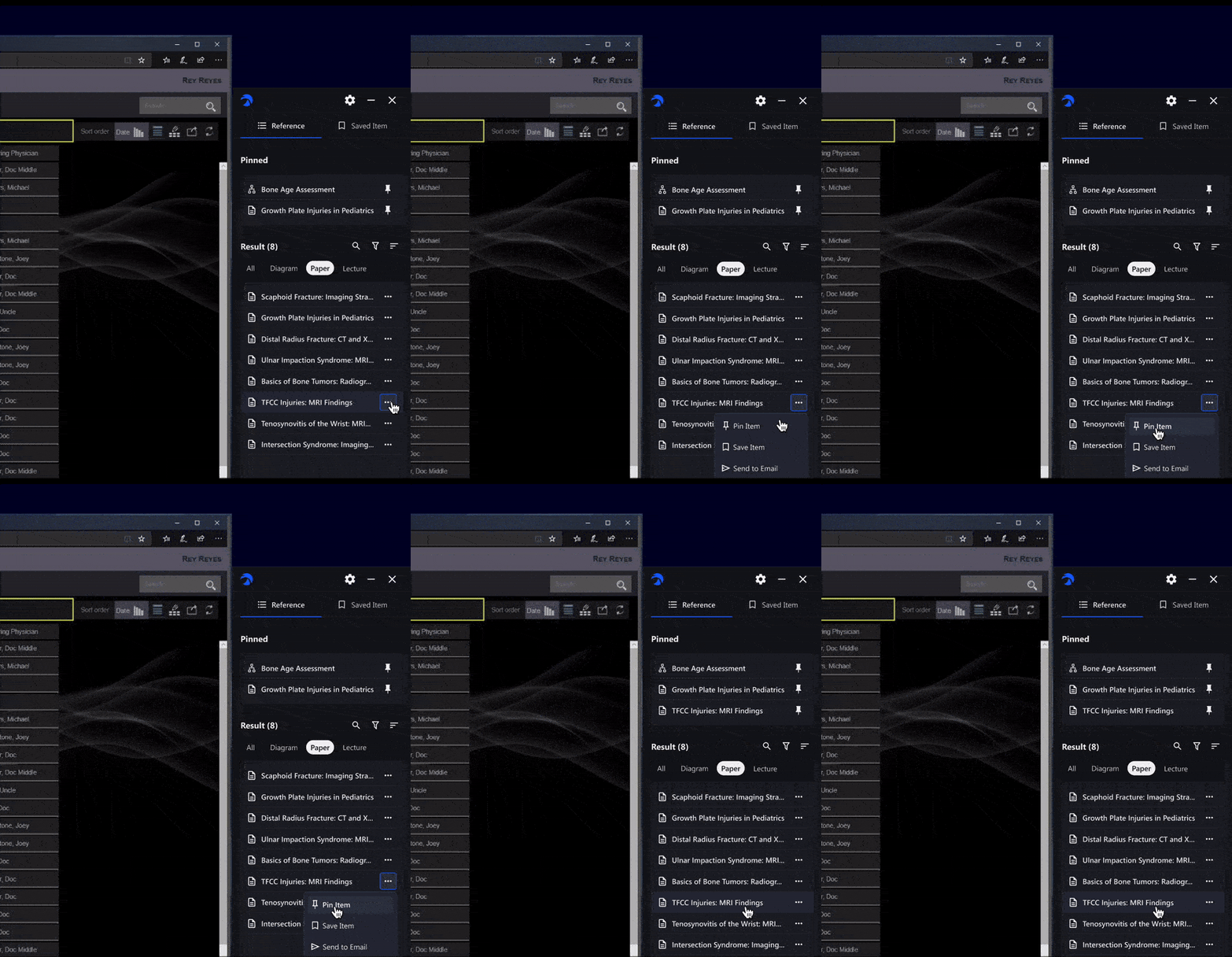
Let radiologists save and quickly revisit key references.
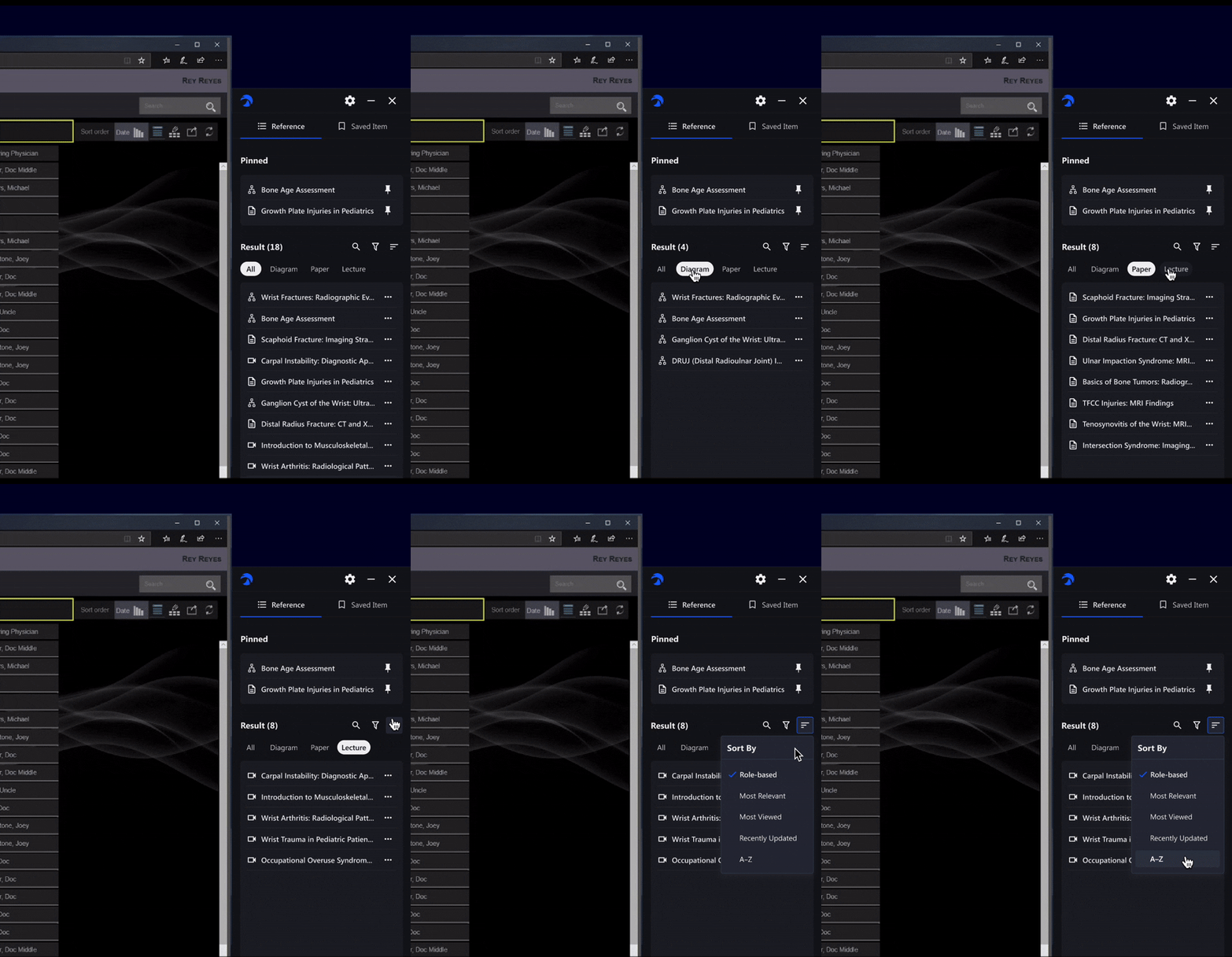
Shows the most relevant information based on the user’s role.
Outcome
Efficency
+29.8%
CSAT
93%
from 64%
Task success
100%
Different
Needs
—
We were initially asked to refresh the UI.
The initial request focused on visual improvements after users described RADHawk as “hard to use.” But the feedback was too broad to design against, so we first needed to understand what was actually breaking down in practice.
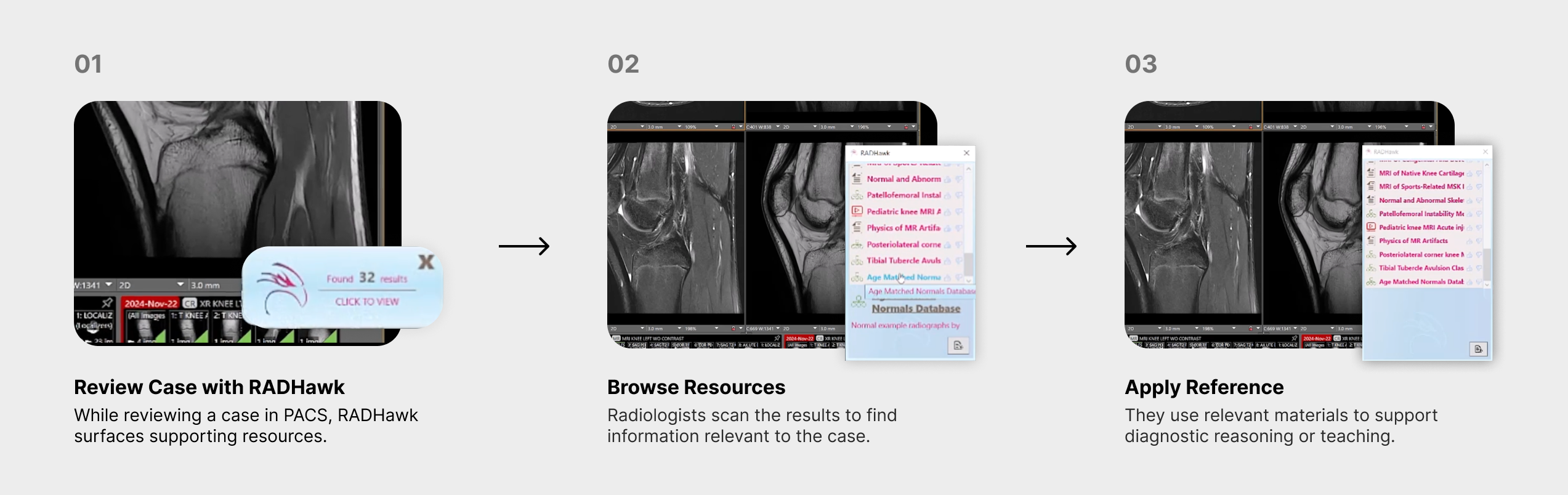
We looked beyond the interface to understand where the workflow was breaking down.
I led a three-person team through interviews, focus groups, surveys, observation, and heuristic evaluation to understand where RADHawk was breaking down in real use.
Focus group
18
1:1 interviews
8
Survey
30
The problem: finding the right information required too much scanning, and relevance was hard to judge.
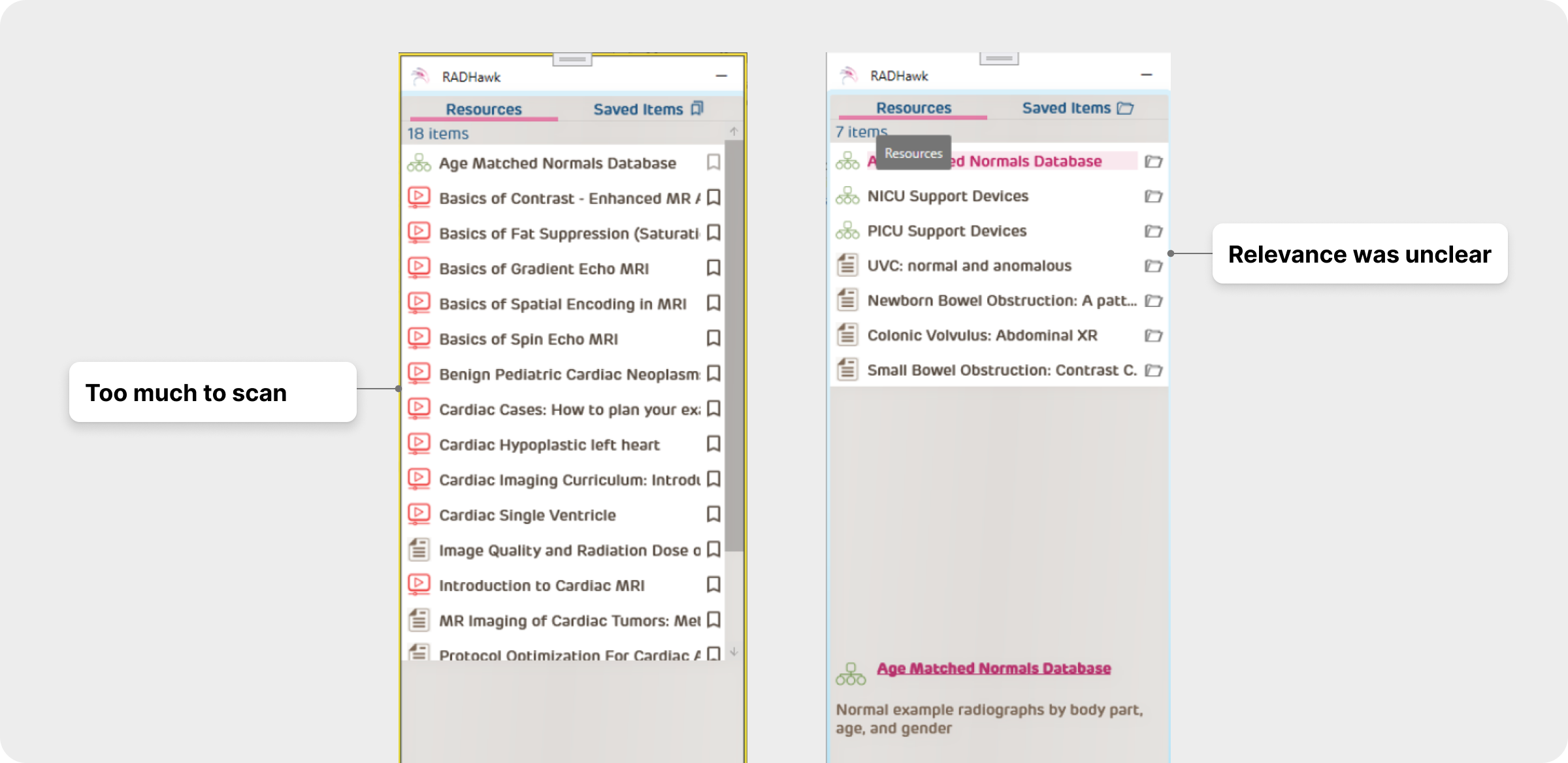
“There’s too much process!
I just want to find the right reference fast.”
Participants found the resource list overwhelming, making it difficult to scan and identify relevant information.
📚 No clear starting point
Users had to scan through many resources without enough guidance on where to begin.
🔍 Hard to judge relevance
It wasn’t clear which resources mattered most for the case.
But...
“Relevant” didn’t mean the same thing to everyone.
We found that expertise shaped what radiologists looked for and how they used the information they found.
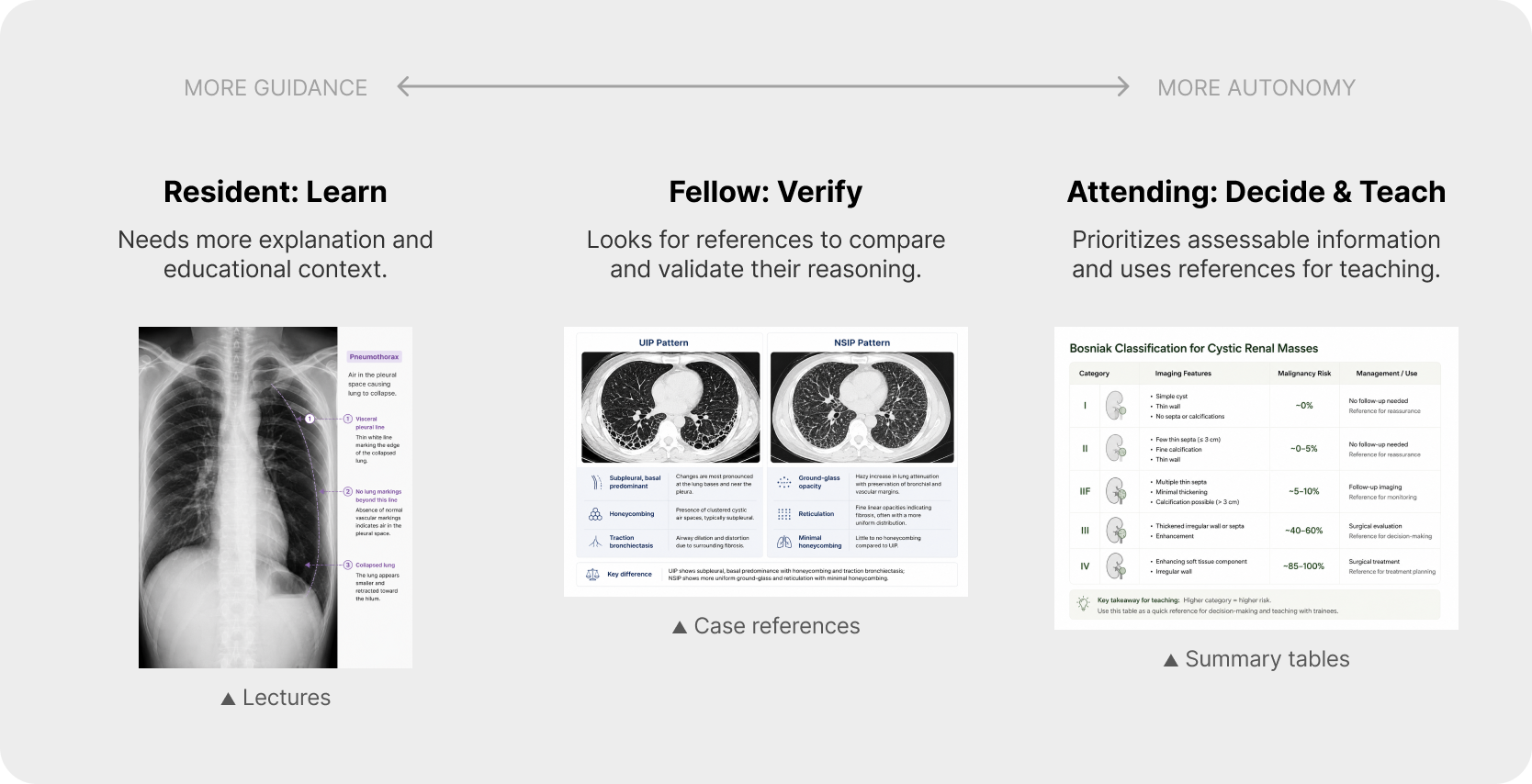
As expertise increased, clinicians shifted from explanatory materials toward concise references they could quickly assess and reuse.
This shifted our focus from fixing the interface to adapting the experience:
How might we help radiologists reach the right information for their needs within RADHawk’s existing foundation?
Design
Directions
—
I explored how much RADHawk should adapt to the user.
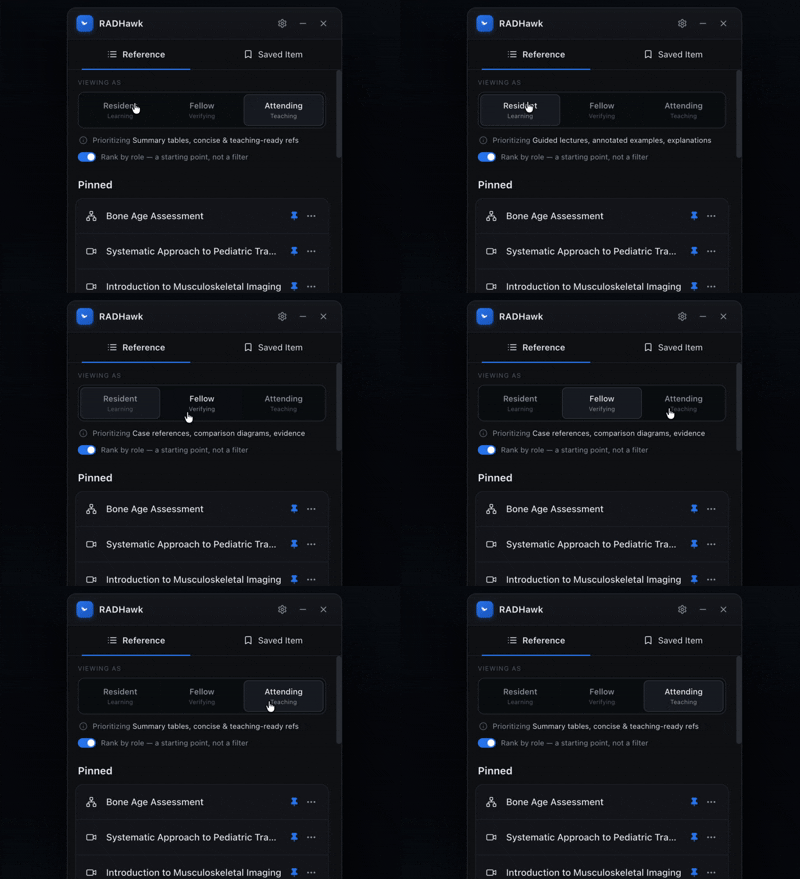
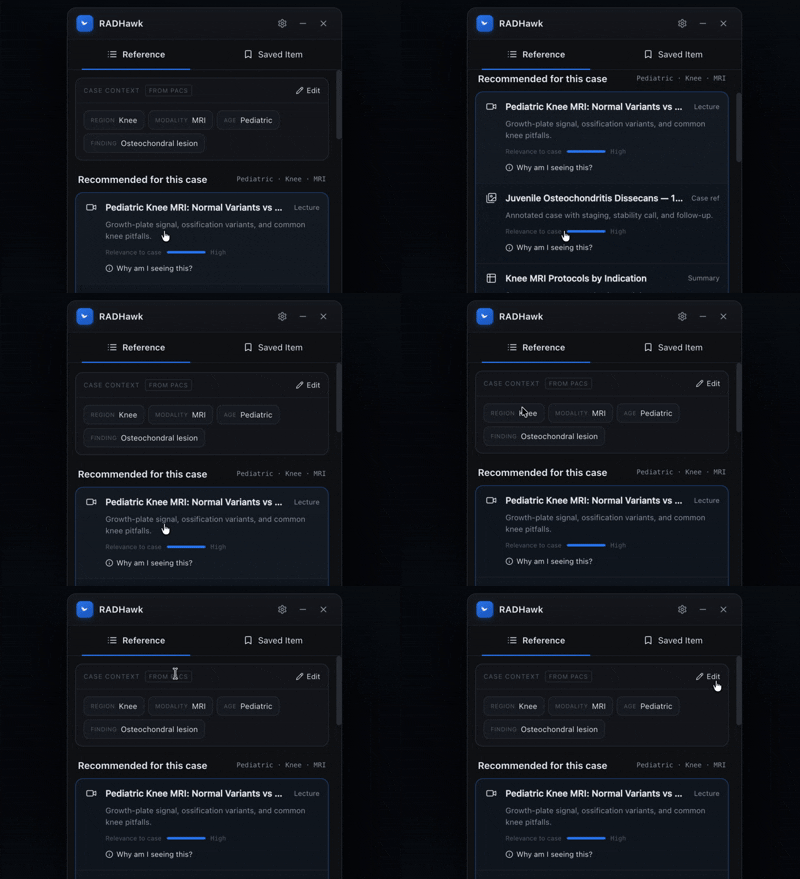
I explored three ways to make the experience more relevant, from better retrieval to deeper personalization.
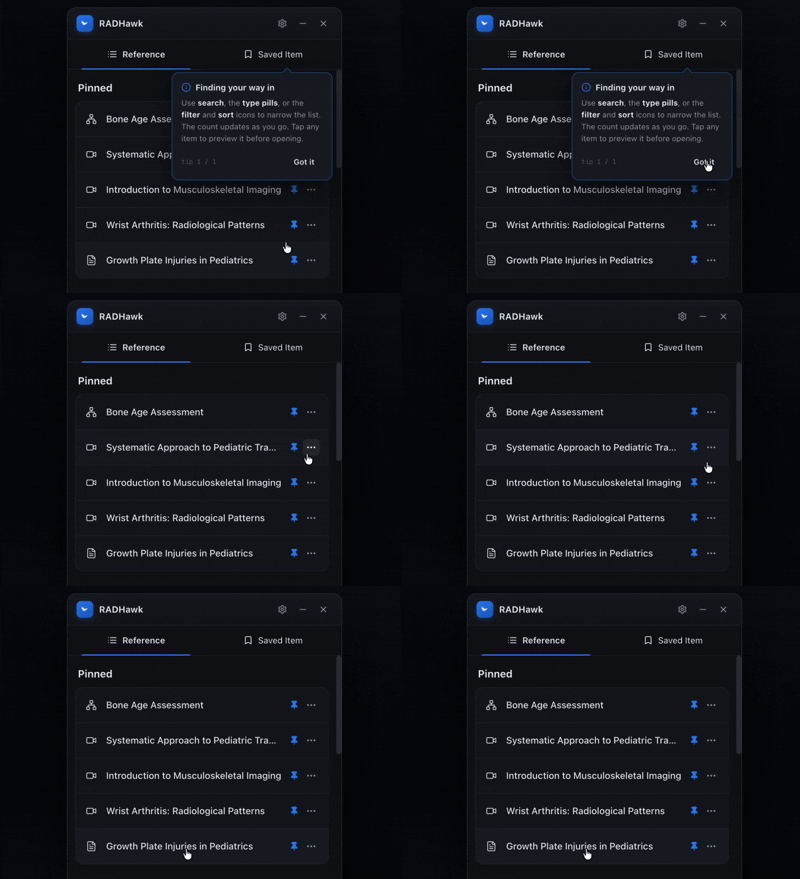
Onboarding hints and retrieval tools helped users understand where to start and narrow down resources more efficiently.
Use role as a lightweight signal to prioritize different materials for residents, fellows, and attendings.
Uses each radiologist’s past viewing behavior, frequently referenced cases, and content preferences to surface materials they’re more likely to find relevant.
However,
the most personalized solution wasn’t the right MVP.
I facilitated a workshop with the team and engineering to compare the three directions, weighing relevance against implementation effort, technical dependencies, and our three-month timeline.
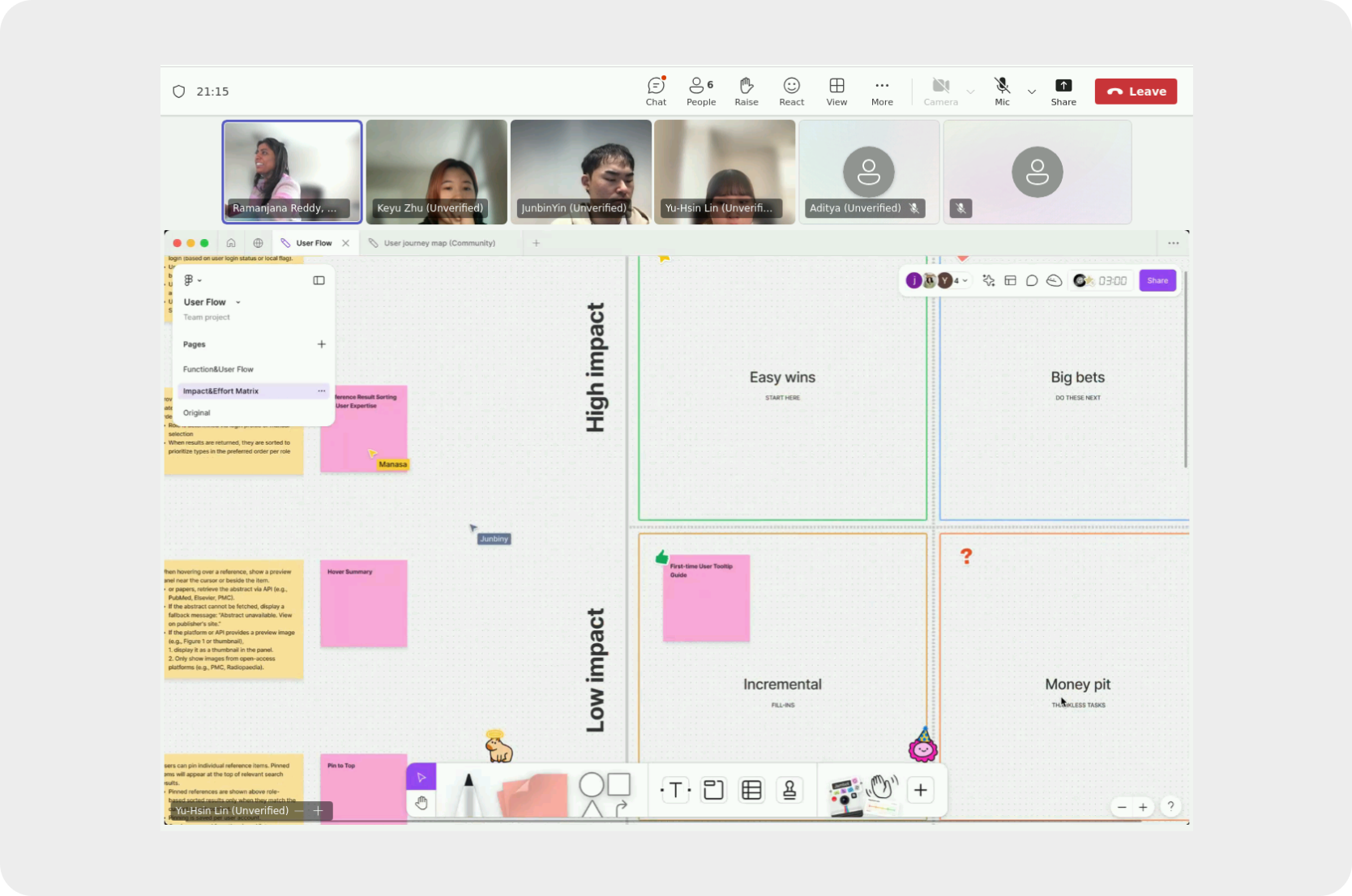
No single direction solved everything, so we looked for the greatest improvement we could deliver within the existing architecture.
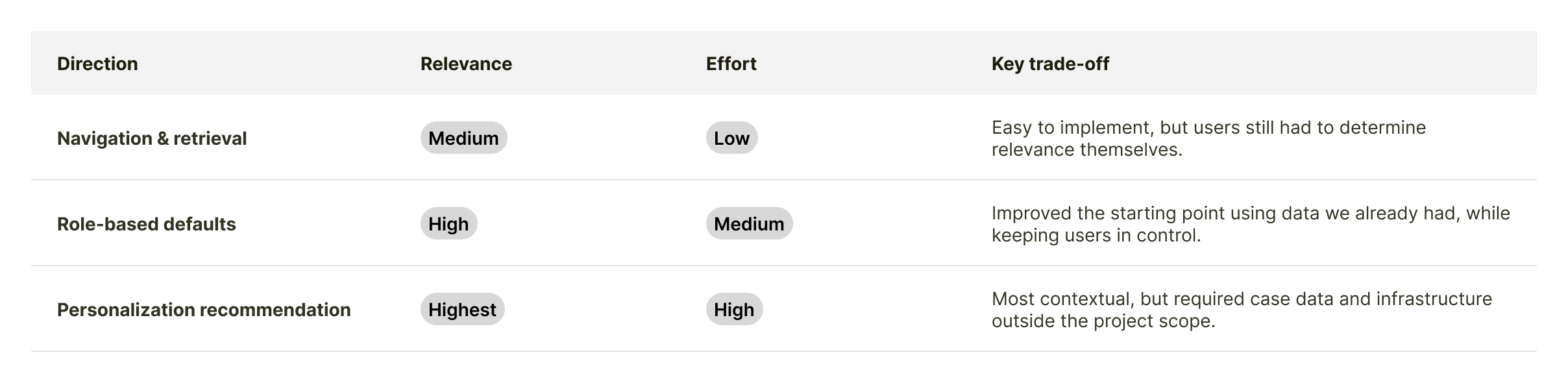
Rather than choosing one direction, we combined the two that delivered meaningful value without introducing new infrastructure:
We kept retrieval tools
Search, filter, and sort addressed an immediate usability gap with relatively low implementation effort.
We chose role-based defaults
Role-based defaults prioritized content by expertise without limiting what users could access.
Test & Refine
—
We tested the direction before defining the MVP.
It validated the direction.
We tested the first prototype with 6 radiologists across experience levels. While the core direction worked, testing surfaced three interaction details that needed refinement before the MVP.
But revealed three interactions to refine.
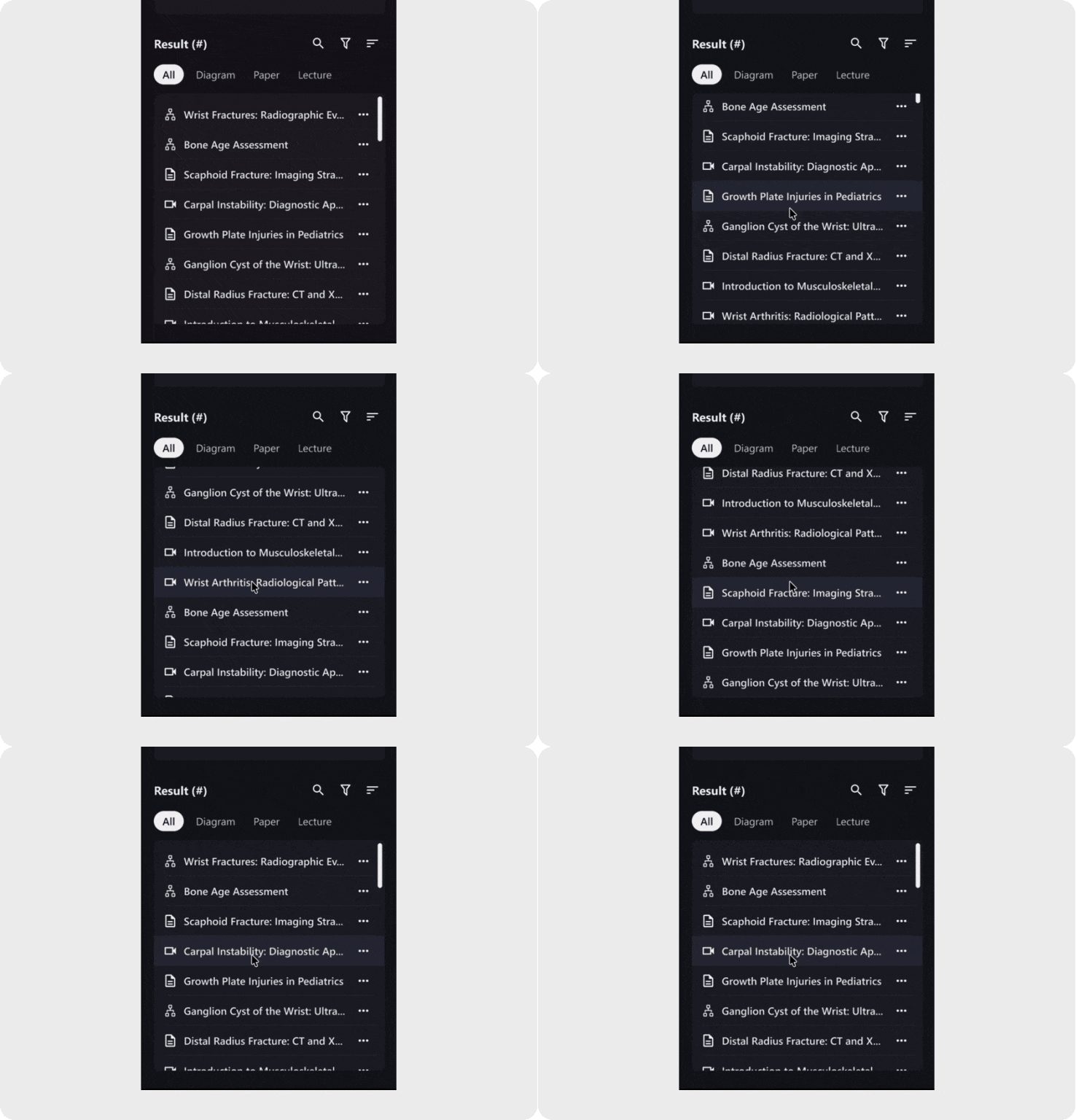
Browsing Continuity
Pagination slowed scanning, so we switched to infinite scroll.
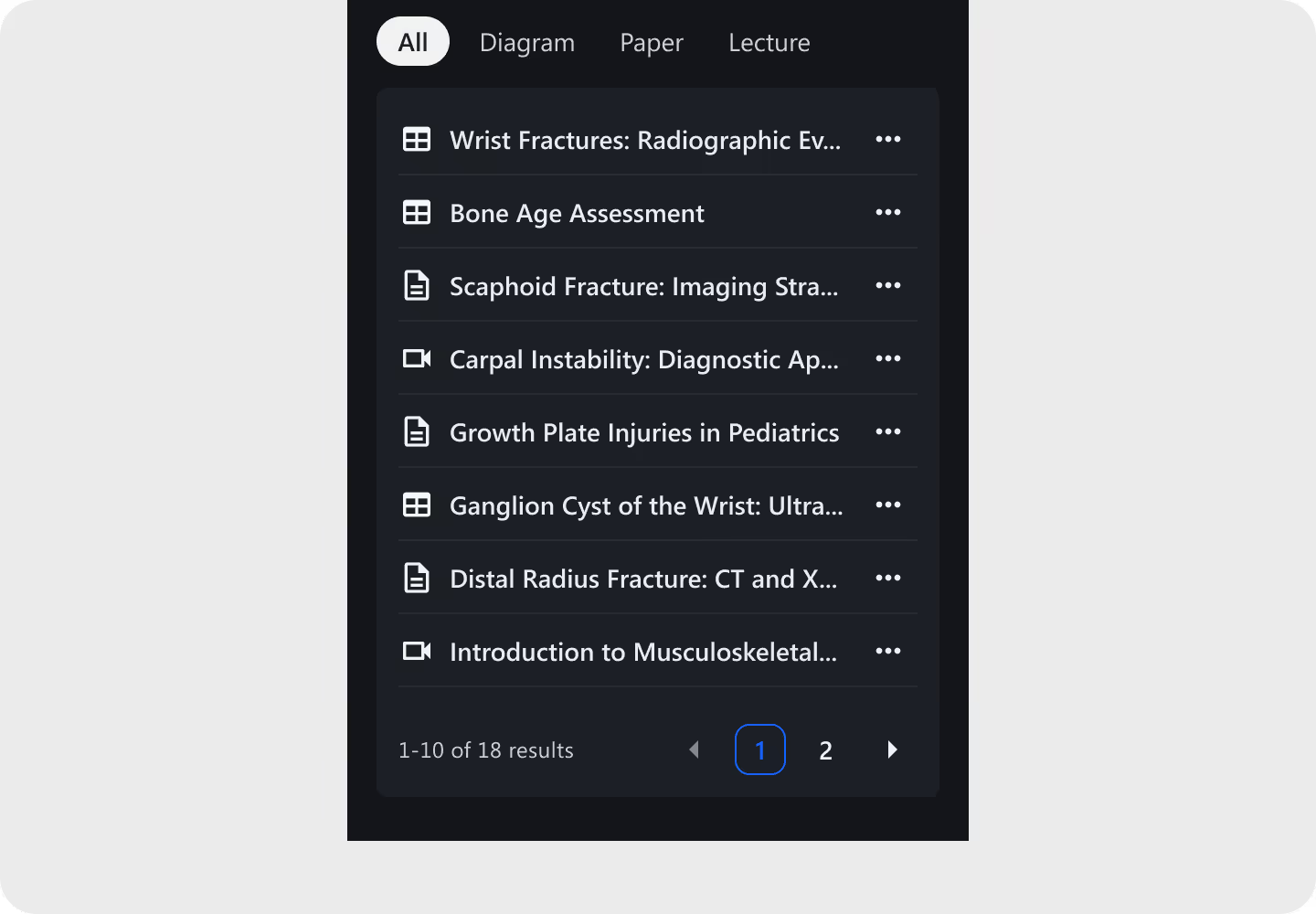
Pinning Flexibility
Users regularly referenced 3–5 materials, so we expanded the pinning limit.

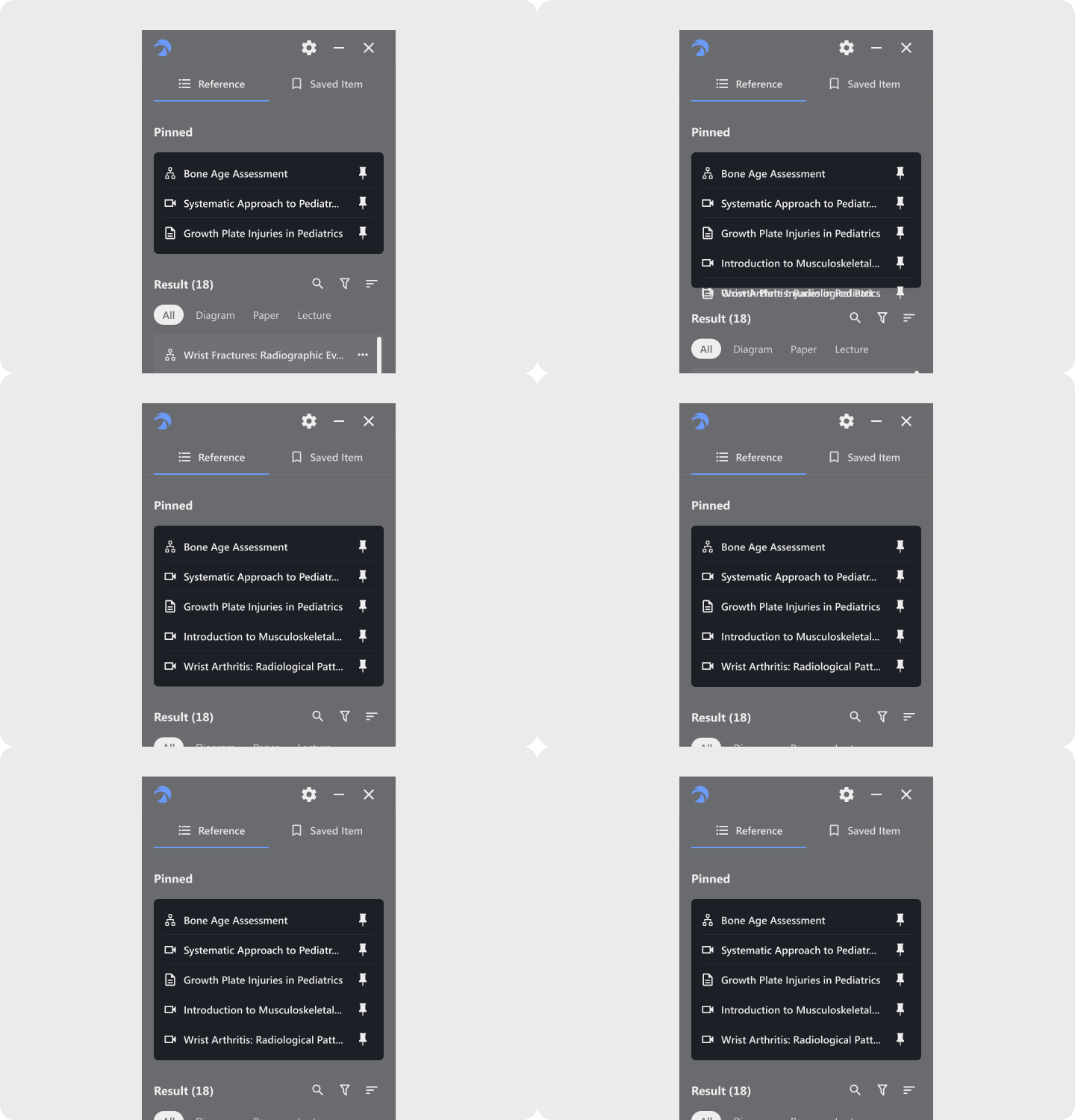
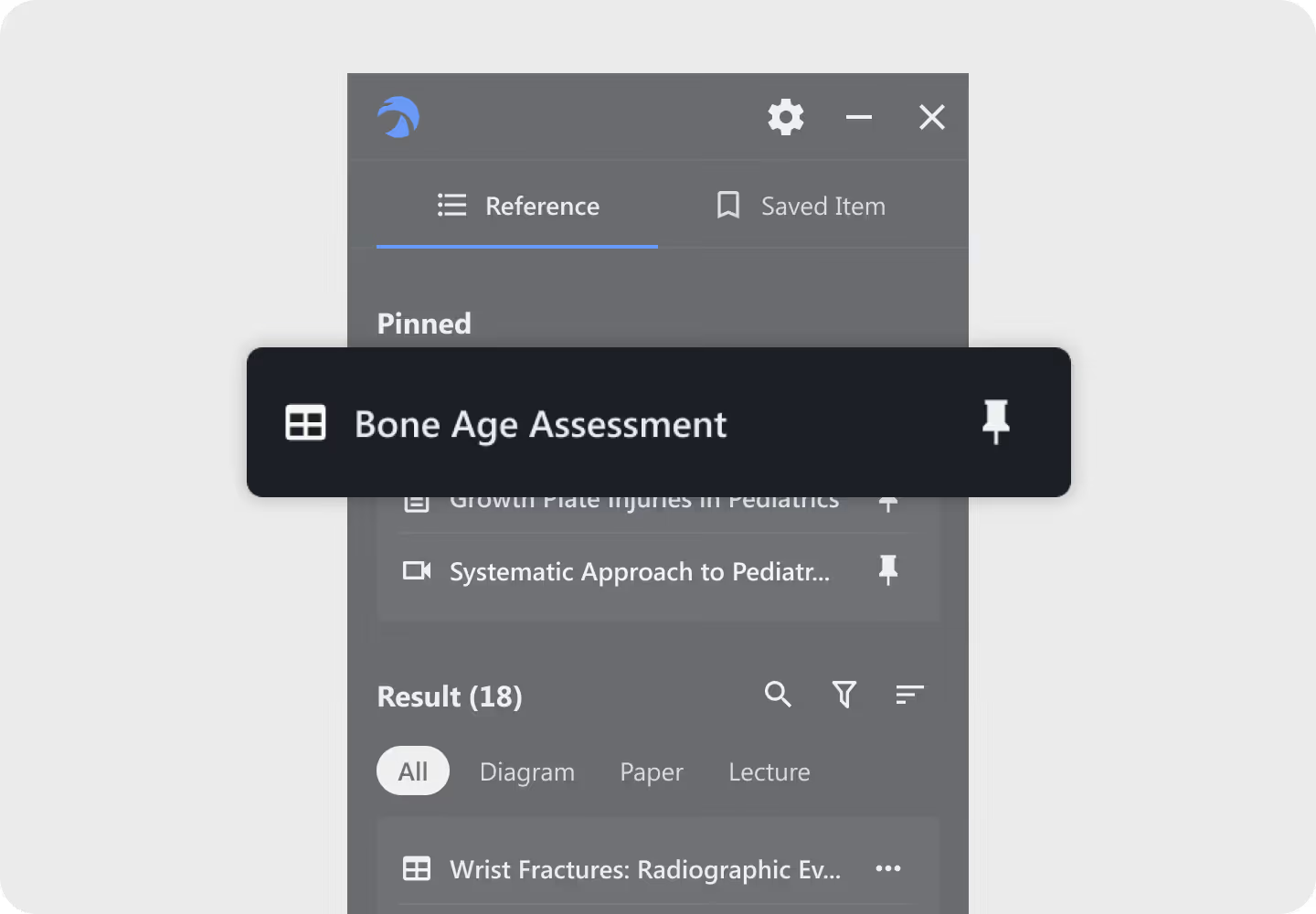
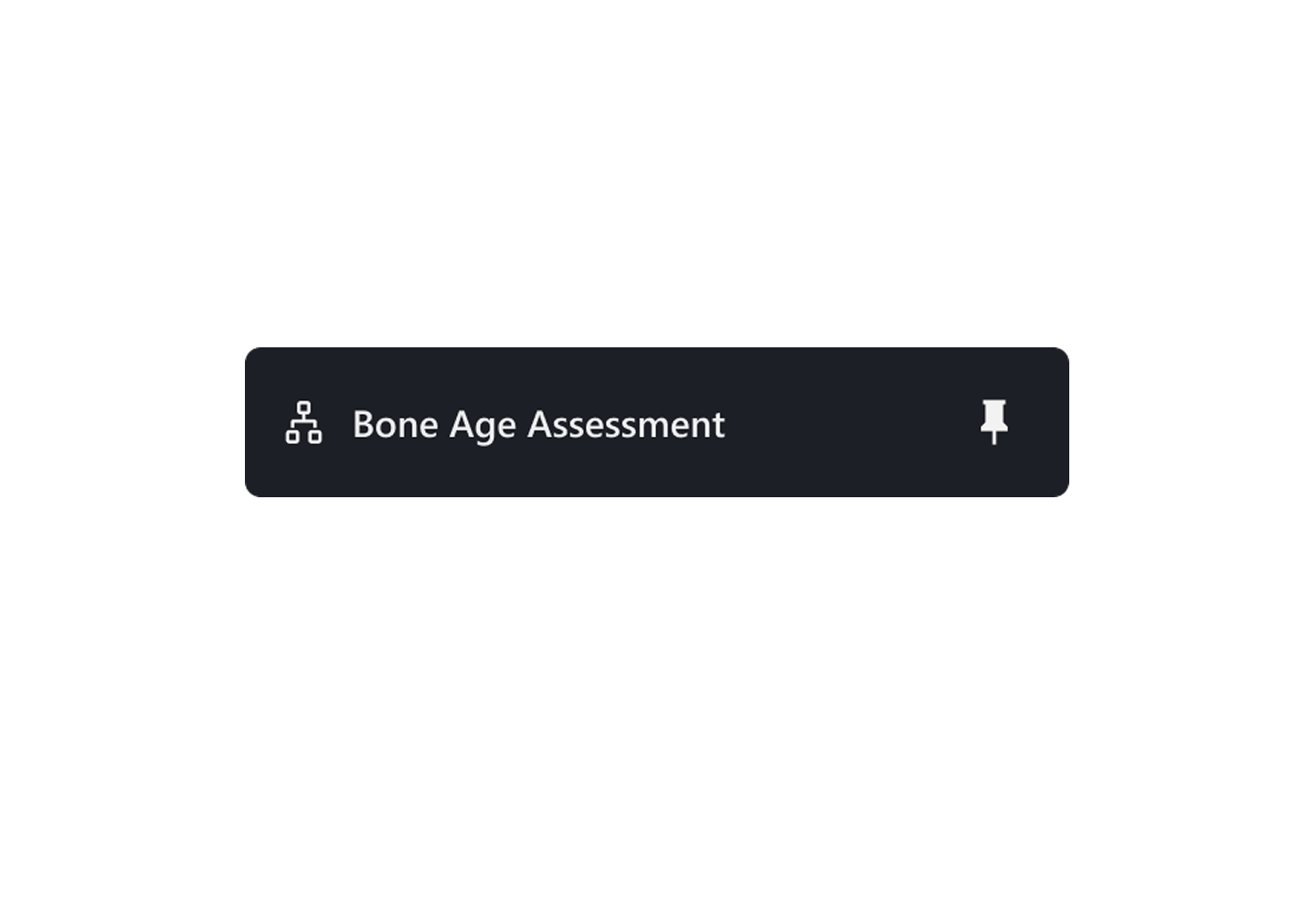
Diagram Icon Clarity
We preserved the familiar symbol and refined its proportions for better recognition.
OUTCOME
—
The final MVP made the right reference easier to reach, and easier to return to.
After testing and iteration, we consolidated the strongest ideas into a focused MVP built around three principles: a more relevant starting point, faster retrieval, and continuity across sessions.
01|Start with what matters to you
RADHawk prioritizes different resource types based on expertise, giving each radiologist a more relevant starting point without limiting access to the full library.
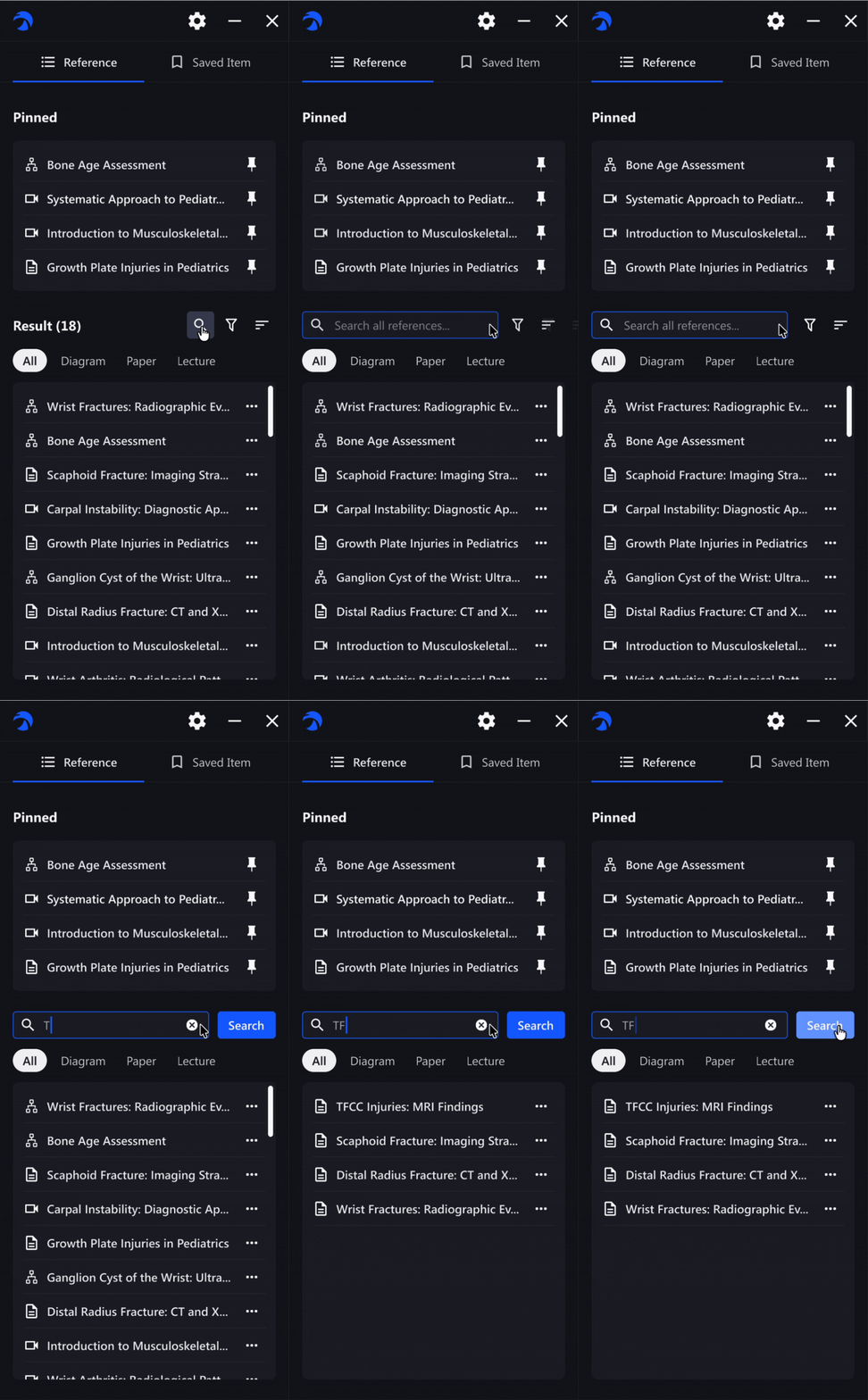
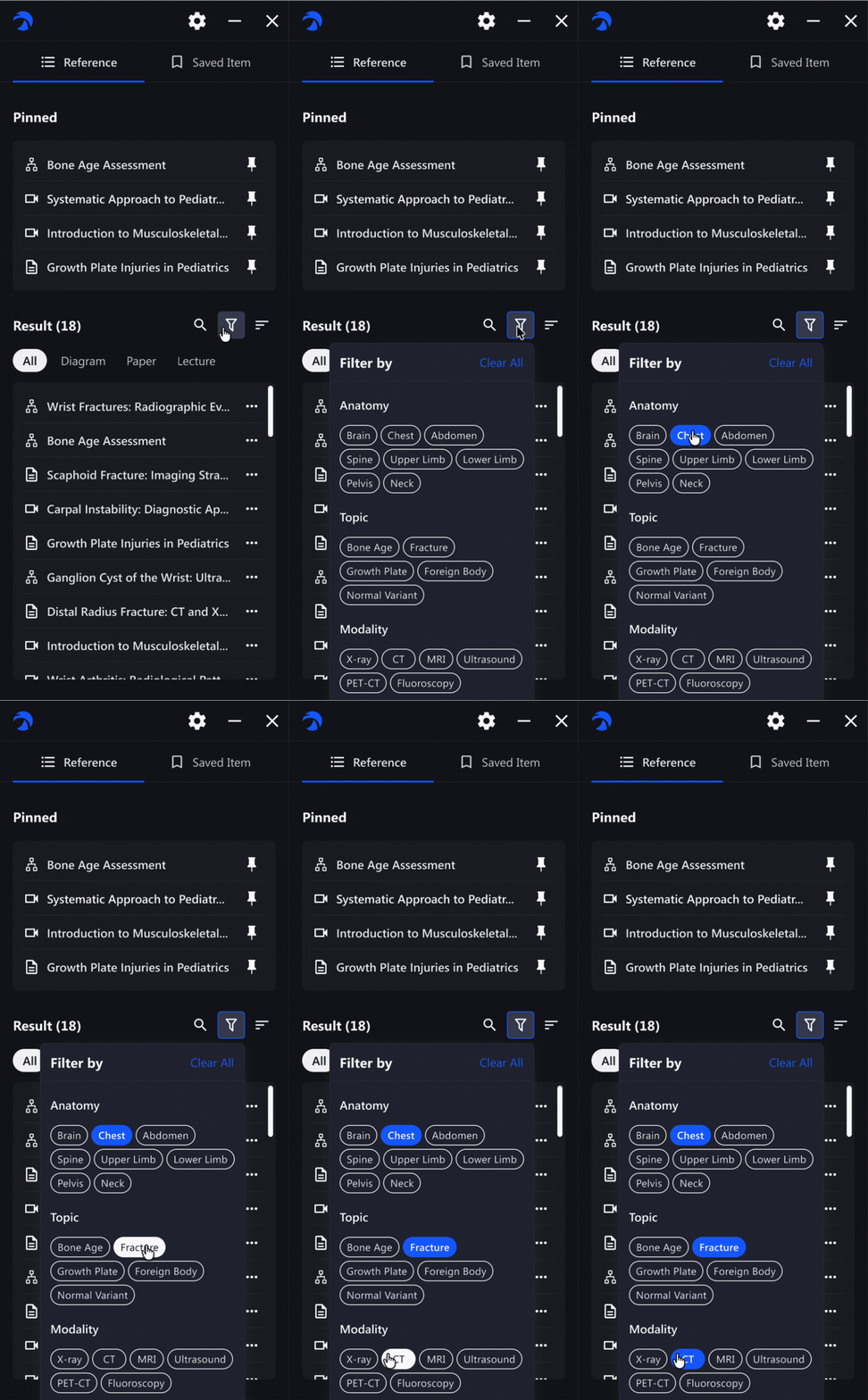
02|Find the right reference faster
Search, filters, sorting, and clearer content types help radiologists narrow large result sets without leaving their diagnostic workflow.
03|Pick up where you left off
Pinned references and preserved browsing states help radiologists return to frequently used materials without rebuilding their setup.
Take away
—
Reflection

Align early, especially when building from 0→1
This project reinforced how important it is to align product, design, and engineering early, especially when scope is still evolving.
Respect existing habits before redesigning them
Not every imperfect behavior needs to be replaced. Sometimes the better solution is to improve around patterns users already understand.
Next Level

From relevance to trust
As RADHawk evolves, the next opportunity is trust: helping clinicians understand not only what is relevant, but why they should trust it.
NEXT PROJECT
—
Designed and shipped the mobile experience for Taiwan’s first cloud-based AI video SaaS, supporting global enterprise adoption.

